Digital Marketing Success Starts With Powerful Alt Tags
In today’s fast-moving digital marketing world, strong technical foundations aren’t optional—they’re the difference between page one and invisibility.
And one of the most overlooked elements in that foundation? Alt tags.
People obsess over keywords, backlinks, and social signals.
But they completely ignore the tiny line of text that helps Google actually understand their content.
Here’s the truth:
Alt tags are a powerhouse.
When you use them the right way, they can boost your SEO visibility, grow your organic image traffic, improve accessibility, and elevate your overall user experience.
In this guide, you’ll get a clear, no-fluff breakdown of:
- What they really are
- How Google interprets them
- The exact process for writing high-impact alt tags
- How they influence accessibility, rankings, and your broader digital marketing performance
Let’s dive in.
What Is an Alt Tag?
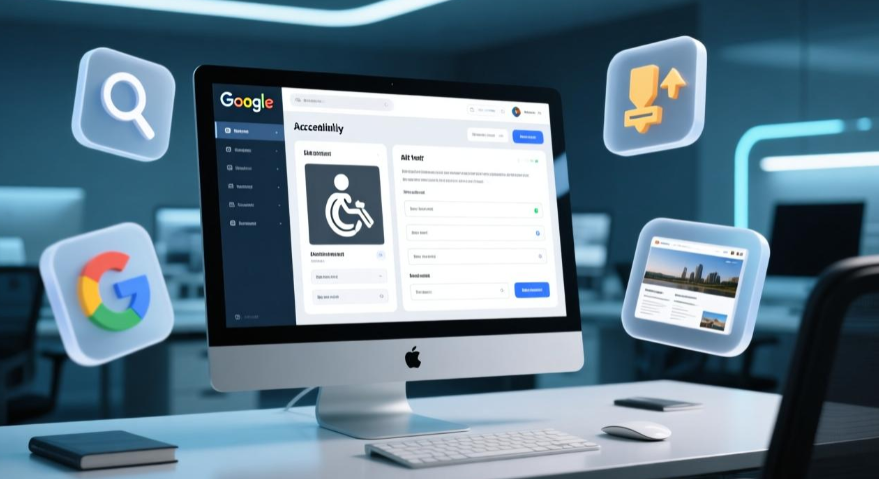
An alt tag (or alt text) is a short, descriptive text that explains what an image is about. Search engines and screen readers use this text when they cannot “see” the image.
Alt tags serve two essential functions:
1. SEO Interpretation
Search engines rely on alt tags to understand the content of an image.
Google cannot “see” images visually. Instead, it reads the alt tag to determine relevance.
2. Accessibility Support
People with visual impairments use screen readers that read out the alt text.
This ensures that everyone—including those with disabilities—can understand your website content.
In short: They are a small but extremely powerful feature in digital marketing and on-page SEO.
Types of Alt Tags for Different Images
Not all images should have the same type of alt text. Depending on the purpose of the image, the type of alt tag changes.
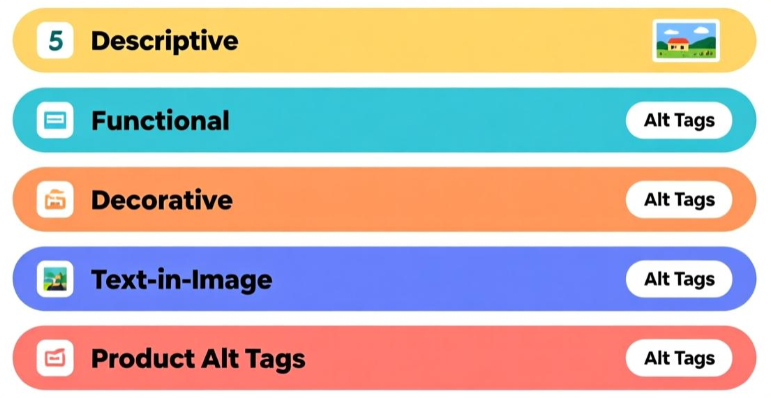
Here are the major types:
1. Descriptive Alt Tags (for informative images)
Use these when the image conveys important information.
Example:
alt=”Google Analytics traffic chart showing 22% growth”
Used for:
- Blog images
- Product photos
- Data charts
- Infographics
2. Functional Alt Tags (for clickable images)
These explain the purpose, not the picture.
Example:
alt=”Sign up button”
alt=”Download free digital marketing guide”
Used for:
- CTAs
- Buttons
- Linked images
- Action-based icons
3. Decorative Alt Tags (for visuals with no meaning)
These images add design only and don’t need description.
Example:
alt=””
Used for:
- Background patterns
- Dividers
- Abstract graphics
- Aesthetic-only design elements
This helps screen readers skip unnecessary elements, improving accessibility.
4. Text-in-Image Alt Tags
If the image contains text, the alt tag must repeat the exact text.
Example:
alt=”50% Off Digital Marketing Course – Limited Time Offer”
Used for:
- Banner images
- Posters
- Promotional graphics
5. Product Alt Tags (for ecommerce SEO)
Essential for ranking in Google Images & Shopping.
Example:
alt=”Black running shoes for women with breathable mesh fabric”
Used for:
Shopping images
Marketplace listings
Ecommerce product pages
How to Write Descriptive Alt Tags for Images
Writing good alt tags is a crucial part of digital marketing content optimization.
Poorly written alt text can hurt both rankings and accessibility.
Follow these guidelines:
1. Be descriptive but concise
Aim for 8–12 words.
Bad: alt=”image123″
Bad: alt=”nice picture”
Correct: alt=”Woman doing yoga on a beach at sunrise”
2. Use your primary keyword only when relevant
Do NOT stuff keywords.
Bad: alt=”digital marketing digital marketing SEO digital marketing strategy”
Good: alt=”Digital marketing expert analyzing website SEO performance”
3. Describe the image as if explaining it to someone who cannot see it
Imagine the user is blind.
Good: alt=”Man holding a laptop showing keyword ranking dashboard”
4. Avoid phrases like “image of” or “picture of”
Search engines already know it’s an image.
Bad: alt=”Picture of a woman writing”
Good: alt=”Woman writing notes during SEO training”
5. Use context-based descriptions
Describe the image based on the page it’s used on.
Example: If used in a digital marketing blog:
alt=”Marketer analyzing Facebook ad performance”
6. Stick to accurate descriptions only
Never mislead users or Google.
Bad: Using keywords unrelated to the image
Good: Reflecting the real content of the image
7. Don’t skip alt tags on essential visuals
Important images always need descriptive alt text.
Where Do Alt Tags Play a Role in Web Accessibility?
Alt tags are a core pillar of web accessibility compliance and inclusive digital marketing.
They support:
Screen readers
For users who cannot see, the alt tag is read aloud, describing the image.
ADA & WCAG compliance
Websites must use these tags to meet accessibility standards.
Assistive technologies
Braille displays and text-to-speech software depend on alt text.
Equal access
Visitors get the same experience and information, regardless of ability.
Inaccessible sites lose trust and traffic—something you cannot afford in modern digital marketing.
Enhancing Web Accessibility with Alt Tags
Here’s how alt tags directly improve accessibility:
1. Accessible Navigation
They allow visually impaired users to navigate action buttons, links, and menus.
2. Accessible Ecommerce
Shopping is fully accessible only when product images have proper alt text.
3. Accessible Learning
Educational websites, blogs, and guides become fully understandable with alt tags.
4. Accessible Social & Media Content
When images include meaningful alt text, social platforms and browsers can provide more accurate descriptions.
5. Better User Experience
Inclusive sites make users feel respected and valued—boosting engagement and conversions.
Accessibility isn’t only ethical—it’s smart digital marketing.
Alt Tags: More Than Just an Image Description Tool
Alt tags are much more than simple text labels.
They are a powerful weapon in your digital marketing and on-page SEO strategy.
Here’s what they do beyond accessibility:
1. Improve Google Search Rankings
Google uses them to understand image context.
Better understanding = better visibility.
2. Boost Image SEO
Images rank separately in Google Images, which brings additional organic traffic.
3. Increase Topical Relevance
Alt tags help Google connect the page to a specific topic or keyword.
4. Support Semantic Search
Search engines build context from visuals, text, and metadata combined.
5. Improve Page Experience Signals
Good tags contribute to overall UX metrics.
6. Enhance Voice Search Compatibility
Voice search assistants often rely on them for visual descriptions.
7. Boost CTR on Image-Rich Pages
Descriptive tags help images display richer information in search results.
8. Strengthen Blog SEO
Blogs with optimized images often outrank those that ignore image SEO.
9. Help with Content Repurposing
When images are shared across platforms, the they acts as built-in metadata.
10. Better Engagement on Social Media
Platforms like Pinterest and Facebook independently read metadata.
10 Rules for Using Alt Tags in Digital Marketing
If you want maximum SEO power, follow these 10 rules.
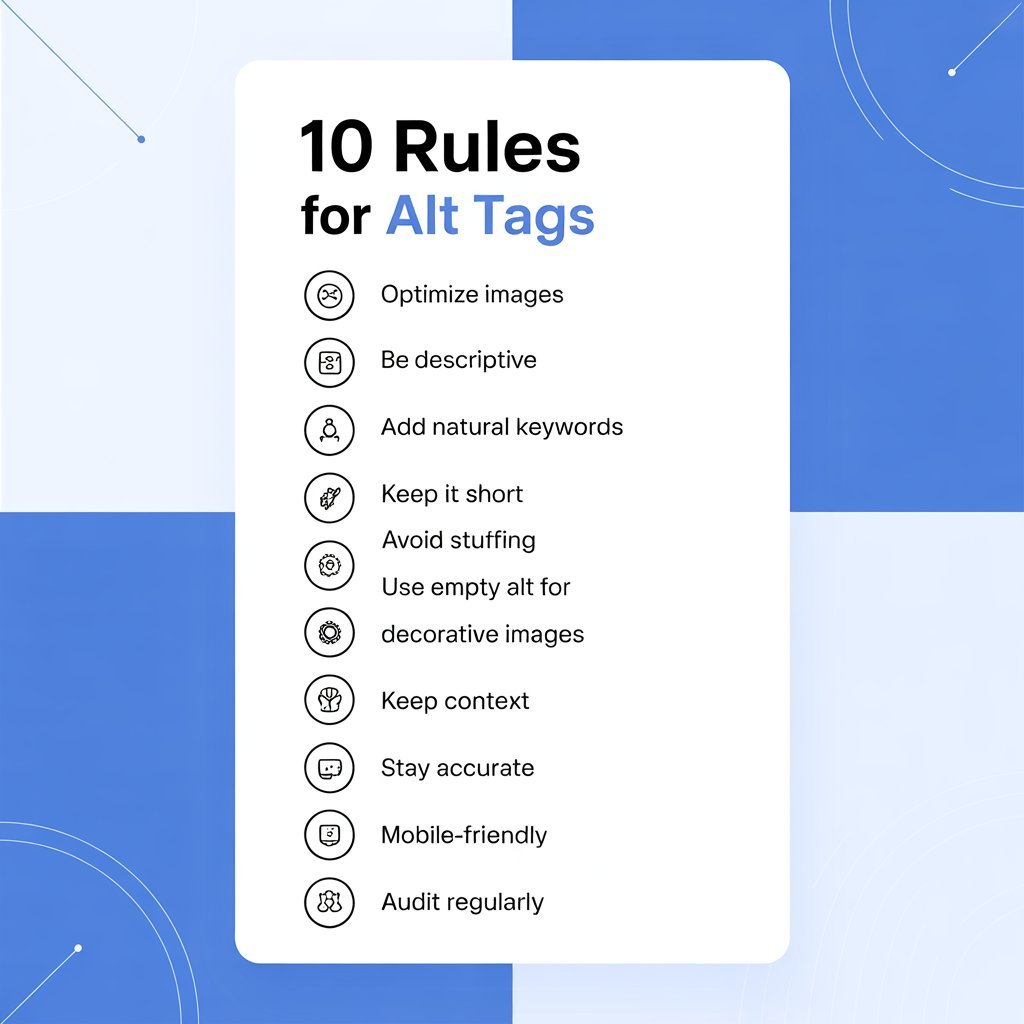
1. Optimize every important image
Never leave key visuals without alt tags.
2. Use descriptive language
Make the description meaningful and specific.
3. Add relevant keywords without stuffing
Use your digital marketing keyword only when natural.
4. Keep alt text between 8–12 words
Short, clear, and descriptive wins.
5. Avoid over-optimization
Google penalizes unnatural keyword stuffing.
6. Use empty alt tags for decorative images
This improves accessibility.
7. Maintain context
Alt tags must match the topic of the page.
8. Focus on accuracy
Never describe something that isn’t visible in the image.
9. Write alt tags for mobile-first users
Images appear differently on mobile—clarity matters.
10. Audit and update alt tags regularly
SEO is never “set and forget.”
Final Thoughts: Alt Tags Are Small but Mighty in Digital Marketing
In 2025 and beyond, alt tags are more important than ever.
They bridge accessibility, user experience, and on-page SEO.
Start implementing these strategies in every piece of content you publish.
And if you want to master these techniques with real-world application, the Digital Marketing Course in Dehradun by DSOM offers in-depth training on on-page SEO, image optimization, and modern ranking practices—helping you stay ahead in an increasingly competitive digital landscape.